



JavaScript Object Notation, commonly known as JSON, has become the backbone of modern web and application development. From REST APIs and microservices to mobile apps and configuration files, JSON is everywhere. As someone who has worked extensively with APIs, backend systems, and large-scale data exchanges, I can confidently say that working efficiently with JSON is no longer optional; it’s a core skill. That’s where JSON tools for developers play a critical role.
Whether you are debugging API responses, validating complex payloads, formatting unreadable data, or transforming JSON into other formats, the right tools can save hours of development time. In this article, I’ll walk you through 9 powerful JSON tools for developers, explaining what they do, why they matter, and how they improve real-world development workflows.
This guide is written based on hands-on experience and practical usage, rather than theory so that you can trust these recommendations for your daily development work.
Table of Contents
Why JSON Tools Matter for Developers
Before diving into the list, it’s important to understand why specialized JSON tools for developers are essential.
In real-world projects, JSON data is rarely small or clean. You’ll often deal with:
- Deeply nested objects
- Large API responses
- Invalid or malformed JSON
- Performance issues caused by poor data structures
Manual inspection becomes inefficient and error-prone. JSON tools help developers:
- Improve productivity
- Reduce debugging time
- Ensure data integrity
- Maintain clean and readable code
Now, let’s explore the most reliable and widely used tools.
9 JSON Tools for Developers and Coders
1. JSON Formatter & Validator
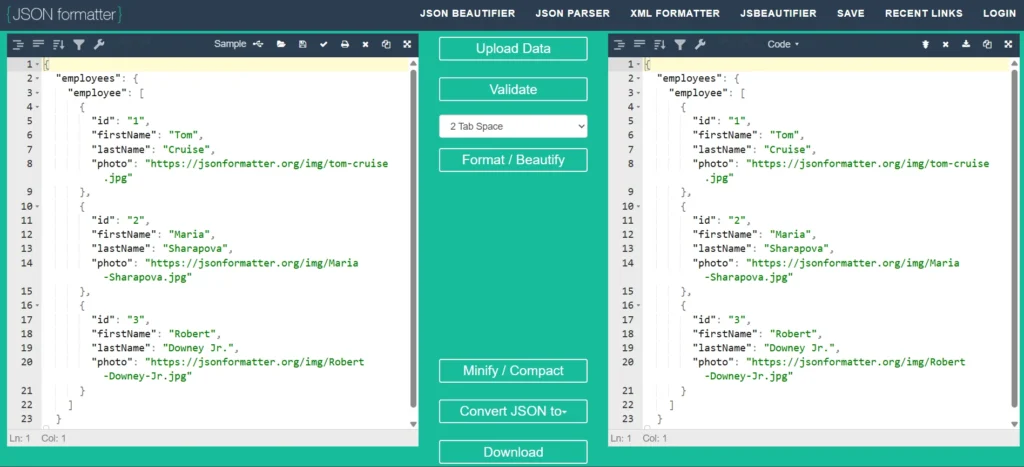
A JSON Formatter and Validator is usually the first tool developers reach for. Raw JSON responses are often minified and unreadable. This tool formats the data into a clean, indented structure while also validating its syntax.
Key Features:
- Pretty-print JSON for readability
- Detect syntax errors instantly
- Highlight invalid keys or missing commas
Why Developers Trust It:
In API-heavy applications, malformed JSON can break entire features. A formatter-validator combo ensures your data is both readable and correct. This is one of the most commonly used JSON tools for developers, especially during API development and testing.
2. JSONLint
JSONLint is a widely recognized industry-standard validator trusted by developers worldwide. It strictly follows JSON specifications, making it ideal for catching subtle errors.
Key Features:
- Strict JSON validation
- Clear error messages with line numbers
- Lightweight and fast
Real-World Use Case:
When working on production APIs or configuration files, JSONLint helps ensure compliance with JSON standards before deployment. Because of its reliability, JSONLint remains a favorite among professional JSON tools for developers.
3. Postman (JSON Handling Capabilities)
While Postman is known primarily as an API testing tool, its JSON handling features deserve special mention.
Key Features:
- Auto-formats JSON responses
- Visualizes nested JSON data
- Supports JSON schema validation
- Enables testing JSON responses with scripts
For advanced API testing and handling asynchronous JSON data fetching, tools like HTTPX in Python offer powerful features similar to Postman.
Why It’s Powerful:
Developers working with REST APIs constantly analyze JSON payloads. Postman allows you to validate, inspect, and test JSON in real time. For API developers, Postman acts as an all-in-one solution and is one of the most practical JSON tools for developers today.
Read this to increase your knowledge about request and response: Python HTTP Requests and Responses Using httpclient
4. JSON Viewer (Browser Extensions)
JSON Viewer extensions transform raw JSON displayed in browsers into collapsible, readable trees.
Key Features:
- Tree-based visualization
- Collapsible nodes for large files
- Syntax highlighting
Developer Advantage:
Instead of copying JSON into external tools, developers can inspect API responses directly in the browser. This makes JSON Viewer extensions lightweight yet extremely efficient JSON tools for developers, especially during frontend debugging.
5. jq (Command-Line JSON Processor)
jq is a command-line JSON processor designed for developers who prefer terminal-based workflows.
Key Features:
- Filter and transform JSON data
- Extract specific fields
- Combine and manipulate JSON objects
Example Use Case:
When handling large API responses or log files, jq allows developers to process JSON without writing full scripts. Advanced developers and DevOps engineers consider jq one of the most powerful JSON tools for developers due to its flexibility and performance.
6. JSON Schema Validator
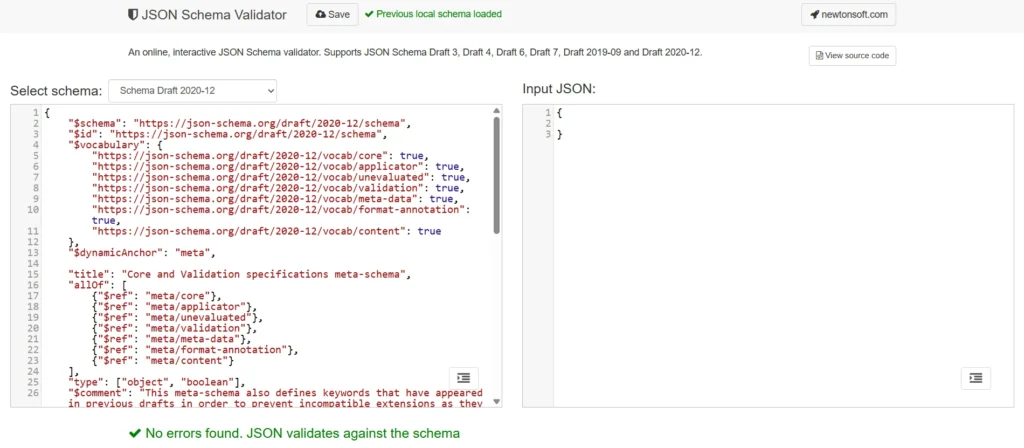
JSON Schema defines the structure, rules, and constraints of JSON data. Schema validators ensure incoming or outgoing JSON follows predefined rules.
Key Features:
- Enforce required fields
- Validate data types
- Define complex nested structures
Why It’s Important:
In enterprise systems, APIs must return predictable data. JSON Schema validation prevents breaking changes and ensures backward compatibility. For large-scale systems, schema validation tools are indispensable JSON tools for developers focused on data consistency and reliability.
7. JSON Editor (Visual JSON Editors)
Visual JSON Editors allow developers to edit JSON through a UI rather than raw text.
Key Features:
- Tree and code view modes
- Inline validation
- Error highlighting
When to Use:
These editors are ideal when dealing with deeply nested structures or large configuration files. For beginners and experienced developers alike, JSON editors simplify editing and reduce syntax mistakes, making them reliable JSON tools for coders.
8. CSV to JSON Converter
APIs often require JSON, but data is frequently stored in CSV format. Conversion tools bridge this gap.
Key Features:
- Convert CSV files into structured JSON
- Support custom delimiters
- Preserve data integrity
Practical Use:
When migrating data or integrating third-party systems, CSV to JSON converters save time and eliminate manual transformations. These tools are especially valuable JSON tools for developers working on data integration projects.
9. JSON Diff Tools
JSON Diff tools compare two JSON files and highlight differences.
Key Features:
- Side-by-side comparison
- Highlight added, removed, or modified keys
- Support nested structures
Why Developers Rely on It:
When debugging API changes or version updates, JSON Diff tools quickly show what changed. For maintenance and debugging workflows, diff tools are essential JSON tools for devs.
How to Choose the Right JSON Tool
Not all tools serve the same purpose. Choosing the right one depends on your workflow:
- API development → Formatter, Validator, Postman
- Large datasets → jq, JSON Viewer
- Enterprise systems → JSON Schema Validator
- Data migration → CSV to JSON tools
Experienced developers often use multiple JSON tools together for maximum efficiency.
Best Practices When Working with JSON
Based on years of real-world experience, here are proven best practices:
- Always validate JSON before deployment
- Use schemas for critical APIs
- Keep JSON responses minimal
- Avoid deeply nested structures
- Document your JSON format clearly
Tools help, but best practices ensure long-term stability and performance.
Final Thoughts
JSON is the language of modern data exchange, and mastering it requires more than just knowing the syntax. The right JSON tools for developers dramatically improve productivity, accuracy, and confidence when working with complex data.
This article is based on hands-on development experience, industry best practices, and real-world problem-solving. Whether you are a frontend developer, backend engineer, or API architect, these tools will help you work smarter, not harder.
If you regularly deal with APIs, microservices, or data transformations, investing time in mastering these JSON tools will pay dividends throughout your development career.
Hi Bit Level Code team,
I read your article, “9 JSON Tools for Developers Every Programmer Should Know,” and wanted to suggest Olivez JSON to CSV Converter for a future update.
I built it for nested and inconsistent datasets. It supports JSON, JSONL, NDJSON, files up to 100 MB, pasted data, and public URLs.
Users can preview the table, choose columns, preserve large integers, and export CSV or XLSX. Nested objects use dot notation, arrays expand into stable numbered columns, and formula protection is enabled for CSV exports.
https://olivez.in/tool/json-to-csv-converter
It could fit naturally alongside the CSV-to-JSON and data-transformation tools already covered in the article.
Thanks for taking a look,
Kaifi